
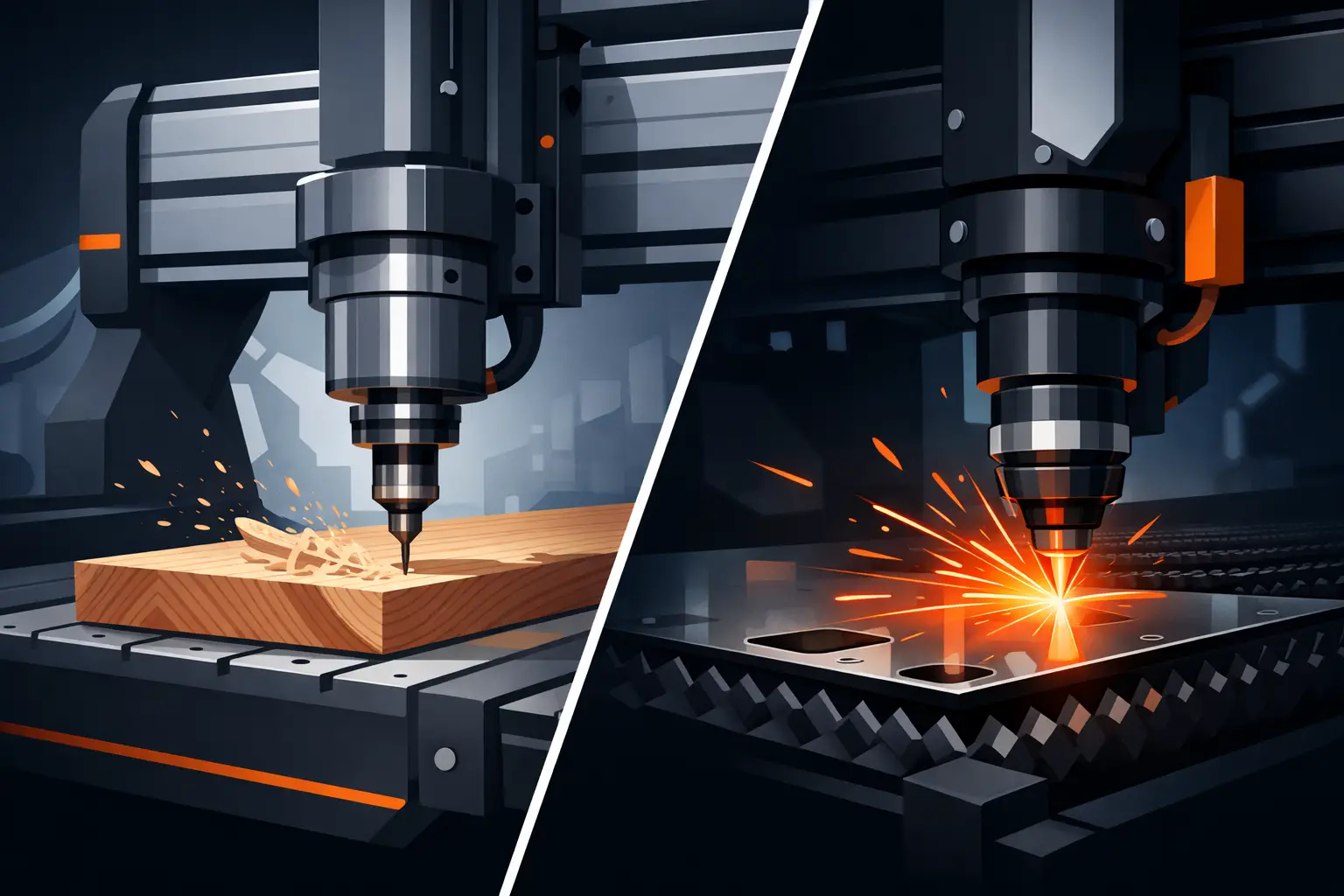
A machine that looks perfect on paper can become the wrong investment the moment it hits a real production floor. That is why the cnc router vs laser question matters so much for cabinet shops, sign makers, fabricators, and growing manufacturers. The right choice is not about trend or headline specs. It is about material type, finish expectations, throughput, maintenance demands, and how your jobs actually move through the shop.
For some businesses, a CNC router is the clear production tool. For others, a laser system delivers faster turnaround, finer detail, or less secondary cleanup. And in many cases, the best answer is not one replacing the other, but one machine solving the work that costs you the most time today.
CNC router vs laser: the core difference
A CNC router removes material with a rotating cutting tool. It physically cuts, profiles, drills, grooves, and pockets the workpiece. That makes it ideal for three-dimensional machining and for jobs where depth matters as much as shape. Cabinet components, nested sheets, joinery, signage substrate machining, plastics, and non-ferrous materials are common router work.
A laser cuts or engraves using concentrated light. Depending on the system, that can mean clean cutting on thin sheet materials, detailed engraving, marked surfaces, and precise edge quality with minimal mechanical contact. CO2 lasers are often used for non-metal materials, while fiber lasers are the standard choice for many metal cutting applications.
That difference in cutting method affects everything downstream – edge finish, speed, dust or fume management, tooling costs, part geometry, and how much post-processing your team has to do.
Where a CNC router makes more sense
If your work depends on depth control, a CNC router has a clear advantage. A router can cut dados, rebates, pockets, chamfers, bevels, and shaped contours that a laser simply does not produce in the same way. For cabinetmakers and furniture manufacturers, that matters every day. One machine can process sheet stock, drill hardware holes, shape components, and machine assembly features in a single workflow.
Routers are also a strong fit for thicker materials where material removal force is not the problem but process flexibility is. Timber, MDF, plywood, ACM, plastics, foam, and some soft metals are standard router territory. In commercial production, a rigid frame, stable gantry, accurate motion system, and well-configured spindle are what separate a production router from a machine that only performs in light-duty work.
Another point often missed in a cnc router vs laser comparison is part size. Routers are well suited to full-sheet processing and oversized panel work. If your business is handling 4×8 sheets, long boards, custom furniture panels, or large-format signage substrates, the router format usually fits the workflow more naturally.
Where a laser has the advantage
Lasers shine when fine detail, clean edge quality, and fast cutting on suitable materials are the priority. In signage, decorative panels, thin sheet metal parts, label plates, and intricate cut patterns, a laser can produce results that are difficult or inefficient to replicate with a rotary tool.
Because the process is non-contact, there is no cutter pressure pushing on the sheet in the same way as a router bit. That can be useful for delicate geometries, small features, and intricate internal cutouts. For many shops, the speed benefit is not just in cutting. It is also in reduced finishing work. If the edge comes off the machine cleaner, your labor moves to packing and delivery instead of sanding or deburring.
For metal fabrication, a fiber laser is often the more direct solution than a router. For acrylic display work, thin timber products, engraving, and detailed sign elements, a CO2 laser may open up work a router would do more slowly or with more tool marks.
Material choice changes the answer
This is where buyers often make the right decision. They stop comparing machine categories in general and start comparing them against actual jobs.
If your shop mainly cuts plywood, MDF, hardwood, solid surface, plastics, and composite boards, a CNC router is usually the better fit. If your work centers on thin metal sheet, engraved tags, decorative screens, acrylic details, or high-detail profiles, a laser may offer the cleaner production path.
Some materials can be processed on both, but the result is not the same. A router can cut acrylic, for example, but edge finish, feed strategy, and chip control all matter. A laser can produce polished-looking edges in many acrylic applications, but it may not be the right answer for thicker sections or mechanical features. Wood can be cut on both systems too, but a router is generally the stronger choice for production cabinetry and any job requiring pockets, drilled holes, or structural machining features.
Precision is not one single metric
Buyers often ask which is more precise, but that question needs context. A laser can deliver extremely fine detail and narrow kerf on suitable materials. That is valuable for engraving, tight internal geometry, and visually clean cut paths.
A CNC router, however, brings a different kind of precision – repeatable depth control, accurate drilling, consistent profiling across full sheets, and reliable machining of parts that need to fit together mechanically. If your output depends on assembly accuracy rather than surface marking or fine decorative detail, router precision is often the precision that matters more.
Machine build quality also changes the result. Rigid construction, motion quality, spindle or source stability, and control setup all matter more than brochure claims. In production environments, consistency over long runs is usually more valuable than a peak spec achieved in ideal conditions.
Speed depends on the job, not the brochure
There is no honest single winner on speed in the cnc router vs laser debate. A laser can be extremely fast on thin materials and fine profiles. A router may be faster overall when one setup needs drilling, pocketing, profiling, and edge shaping in a single cycle.
Setup time also counts. Tool changes, vacuum hold-down, sheet loading, nesting, and secondary cleanup all affect throughput. Shops that compare only cutting speed often miss where real production time goes. The better question is not which machine moves faster. It is which machine gets finished parts out the door with fewer process steps.
Operating costs and maintenance are different
A router brings tooling costs. Cutters wear, especially in abrasive sheet materials, and tool selection has a direct effect on cut quality and cycle time. Dust extraction is also a major part of a router setup. On the other hand, the process is familiar to many woodworking and composite-based shops, and the machine remains highly versatile.
A laser removes much of the physical tooling issue, but it introduces its own support requirements. Optics, source performance, assist systems, fume extraction, and material compatibility all need attention. Laser systems can be highly efficient, but they still need the right engineering support and service response when production is on the line.
This is one area where machine supplier quality matters as much as machine specification. Commercial buyers do not just need a machine that runs. They need installation guidance, dependable troubleshooting, and long-term support from people who understand production downtime.
Should you buy a CNC router or a laser first?
If you run a cabinet shop, joinery business, furniture workshop, plastics operation, or general sheet-processing environment, the router is usually the first machine to justify itself. It handles the broader mix of machining tasks and gives you flexibility across many job types.
If your business is centered on metal profiling, fine signage detail, engraving, acrylic display work, or decorative production where edge finish drives customer perception, a laser may deliver a faster return because it matches the work more directly.
For many growing shops, the smartest first purchase is the machine that removes the current bottleneck. If outsourced cutting, inconsistent part quality, or slow manual processing is costing you delivery time, start there. Expansion decisions are strongest when they are tied to real workload pressure, not just machine capability on paper.
When both machines belong in the same shop
High-performing workshops often end up with both because the machines solve different problems. A router handles structural machining, large-format processing, and thicker non-metal materials. A laser covers detailed cutting, engraving, and material-specific work where finish and fine geometry matter more.
That combination can sharpen quoting accuracy and reduce compromise. Instead of forcing one machine to do everything, each system does the work it is best at. For businesses scaling output, that usually means better turnaround, better finish quality, and fewer production workarounds.
If you are comparing options for a professional shop, focus less on category labels and more on what your jobs demand every day. Material mix, part size, edge quality, machining depth, service access, and support after installation should drive the decision. A good machine earns its place by holding tolerance, staying reliable under load, and keeping production moving when deadlines are tight. That is the standard worth buying against.